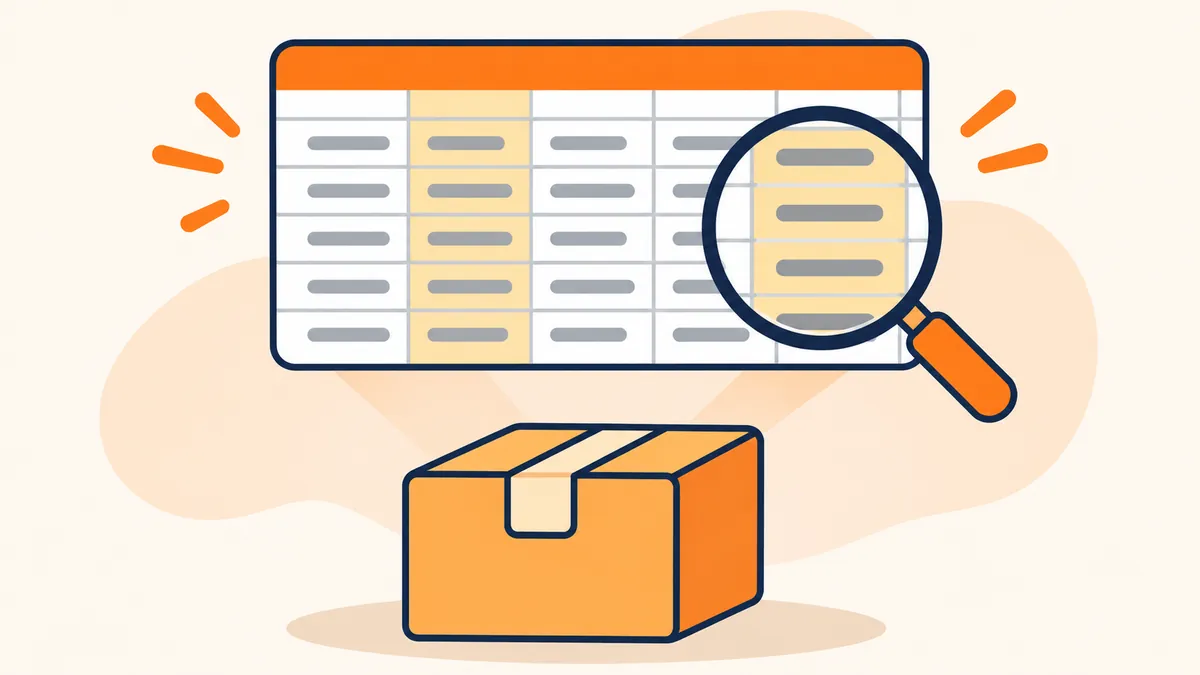
Which file is the order history CSV?
The ZIP from Request your data → Your Orders (how to get it) holds several CSV files. Physical orders are in one of these:
Order History.csv— exports since about 19 February 2026. Columns in alphabetical order, values quoted only where needed, rows not sorted by date.Retail.OrderHistory.1.csv, sometimes alsoRetail.OrderHistory.2.csv, each in a folder of the same name — exports from about 2020 to February 2026. 28 columns in a fixed order, every value quoted, newest first. If you have both, open both.
Kindle books, apps and other digital items are not in this file; they are in Digital Content Orders.csv (Kindle purchase history). Refunds are in Refund Details.csv.
One row per item, not per order
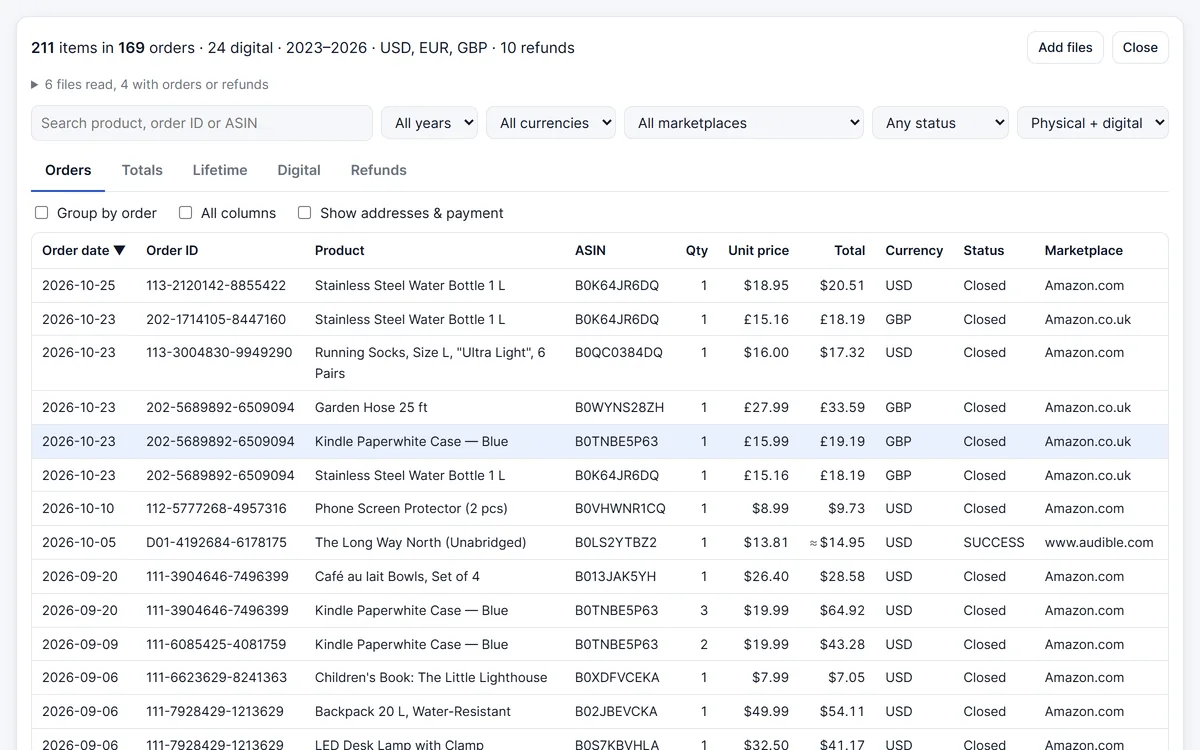
Each row is one product of an order. An order with three different products has three rows with the same Order ID, and every row carries its own amounts. Count orders by unique Order ID, not by rows, and add up the row totals to get an order total.
The money columns: which one is “spent”?
| Column | What it holds | Use it for |
|---|---|---|
Total Amount( Total Owed before 2026) | What the row cost you: price × quantity plus tax and shipping, minus discounts | The amount spent. Add these up. |
Unit Price | Price of one unit before tax | Comparing prices |
Unit Price Tax | Tax on one unit | Tax per item |
Shipping Charge | Shipping charged on the row | Already inside the total |
Total Discounts | Promotions and coupons; sometimes written in apostrophes, like '-18' | Already subtracted in the total |
Shipment Item Subtotal, Shipment Item Subtotal Tax | Subtotal and tax of the item in its shipment | Rarely needed |
Currency | Currency of every amount in the row: USD, GBP, EUR… | Never add rows of different currencies |
Don't add price, tax and shipping yourself when the total is there — Amazon has done it per row. The viewer uses the total column and computes (Unit Price + Unit Price Tax) × Quantity + Shipping Charge − Total Discounts only for a row without a total, marking it with ≈.
Order, product and delivery columns
| Column | Meaning |
|---|---|
Order ID | Amazon's order number, such as 114-7315660-4805020; shared by all items of one order |
Order Date | When the order was placed, in UTC: 2023-08-13T20:40:10Z |
Product Name | The product title |
ASIN | Amazon's product ID; for printed books usually the ISBN-10 |
Original Quantity( Quantity before 2026) | Units ordered on this row |
Order Status | The status of the order; cancelled items say so here |
Shipment Status, Ship Date, Shipping Option, Carrier Name & Tracking Number | Delivery details |
Website | The marketplace: Amazon.com, Amazon.co.uk…; panda01 stands for Whole Foods and Amazon Fresh deliveries |
Product Condition, Purchase Order Number | New or used; a purchase order number, mostly Not Applicable |
Columns with personal data
Shipping Address, Billing Address, Payment Method Type (Payment Instrument Type before 2026), Gift Message, Gift Sender Name, Gift Recipient Contact and Item Serial Number contain your addresses, the last digits of your cards and other people's details. Think twice before sharing the raw CSV. The viewer hides these columns and leaves them out of every export until you tick Show addresses & payment.
Placeholders, cancelled rows and other traps
Not AvailableandNot Applicablestand in for empty cells. A filter for blank cells won't find them.- Cancelled items stay in the file. Filter on
Order Statusbefore adding up. The viewer leaves them out of totals unless you tick Count cancelled orders. - Several currencies appear if you ordered on more than one Amazon site. Add up per currency.
- Times are UTC, so an order placed late in the evening in America can carry the next day's date.
- Thousands separators such as
"1,016.38"can appear even in exports from non-English marketplaces.
Opening the CSV in Excel: common pitfalls
- Dates stay text. Excel doesn't recognise
2024-03-05T14:22:11Zas a date, so you can't group by month or year without a formula. - Decimal commas. With German, French or other regional settings, Excel can read
9.73as text or even as a date. Import with Data → From Text/CSV and pick the right locale, or let the viewer write a real .xlsx. - Lost leading zeros. Book ASINs that start with 0 lose it when Excel turns them into numbers.
- Garbled characters. If Excel guesses the wrong encoding,
Caféturns intoCafé. Import the file as UTF-8. - Saving changes the file. Saving back to CSV from Excel can switch to semicolons, decimal commas and local date formats. Keep the ZIP as Amazon sent it.
How this viewer reads the file
- Finds the order file by its columns, so it reads
Order History.csv,Retail.OrderHistory.N.csvand the old pre-2023 report — and the ZIP without unzipping it. - Matches columns by name, ignoring case, spacing and punctuation; columns it doesn't know are kept and can be shown with All columns.
- Decodes UTF-8, UTF-16 and Windows-1252 and repairs garbled accents; accepts semicolons and decimal commas from an Excel re-save.
- Treats
Not Availableas empty, takes dates as written (UTC), keeps currencies apart and uses Amazon's per-row total.
Open your order history CSV
Drop your Your Orders.zip or order history CSV here
The ZIP (or CSV) from Amazon's Request your data → Your Orders. It is read by your browser and never uploaded. How to get it
Files
Spent = Amazon's per-item total (Total Owed / Total Amount): price × quantity + tax + shipping − discounts. ≈ marks rows computed because the total was empty. Details
Lifetime = physical + digital orders per currency, cancelled orders left out. Refunds are subtracted only in “Spent − refunds”, in the year they were issued. What is included
Digital orders come from the digital orders file of the export. Type is shown only when the file states it. How types are found
Refunds are matched to orders by Order ID; repeated rows count once. How refunds are matched
Frequently asked questions
Which column shows how much I paid?
Total Amount in exports since February 2026, Total Owed before that (and Item Total in the old order report). It is per row and already includes tax and shipping, minus discounts.
Why does the CSV have more rows than I have orders?
There is one row per item. An order with several products has several rows sharing one Order ID. Tick Group by order in the viewer for one row per order.
Where are my Kindle purchases in the CSV?
Not in the order history CSV. Digital purchases are in Digital Content Orders.csv in the same ZIP. Open the whole ZIP and the viewer reads both.
Is the CSV the same for every Amazon country?
The columns are the same family, but file names are translated in some countries and the currency differs per marketplace. The viewer recognises the files by their columns, not by name.